Navigation
Customize your website's primary header menu and secondary footer links to enhance user navigation.
This theme offers advanced native multi-level navigation for your header, and comprehensive footer linking options through Ghost's built-in Navigation settings.
Primary Navigation
The Primary Navigation manages the main menu that appears in your website's header.
Navigate to the Navigation settings in Ghost Admin.
Locate the Primary tab on the left-hand side of the interface.
Add the labels and internal/external URLs for your main pages.
Click the Save button to apply your modifications.
Multi-level Dropdowns (Built-in)
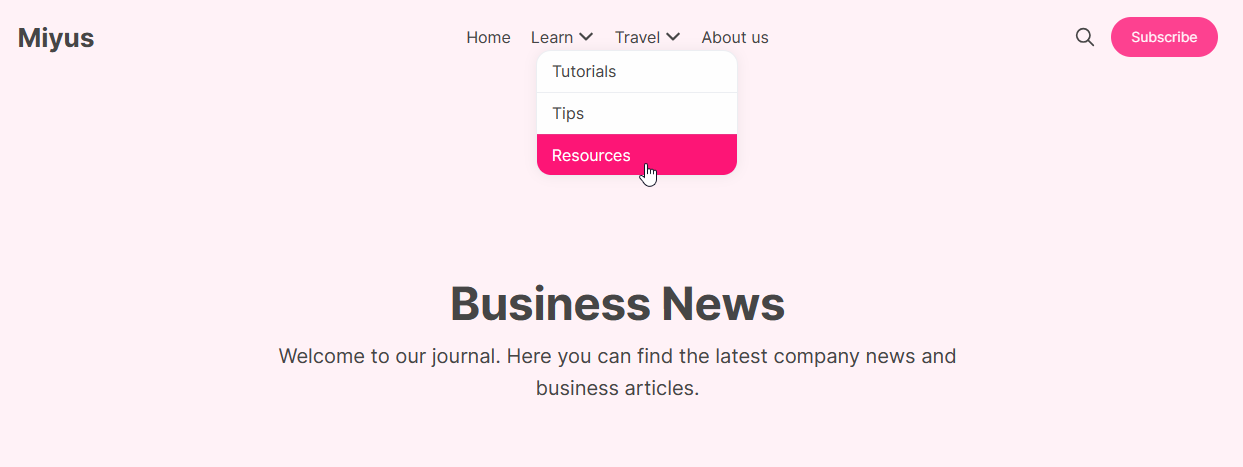
By default, this theme supports a dynamic drop-down menu in the primary header navigation that can elegantly display a second level of items.
Zero Configuration Required
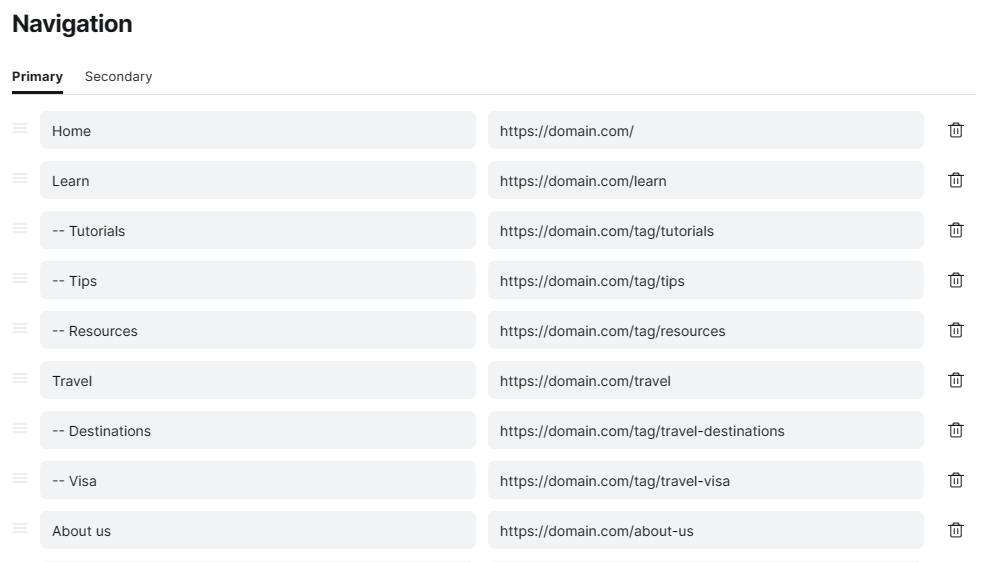
You can effortlessly create a sub-menu under any main menu item strictly using Ghost's native navigation editor. This feature is built-in and does not require any code injections or additional configuration!
Setup Example
Live Preview
Secondary Navigation
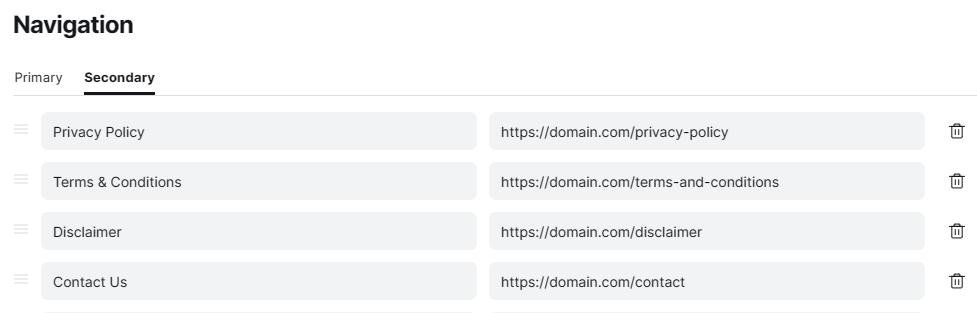
The Secondary Navigation option lets you customize the menu items that appear in your website's footer.
Navigate to the Navigation settings in Ghost Admin.
Click over to the Secondary tab.
Add your footer links (such as Privacy Policy, Terms, or Socials).
Click Save to apply your changes.
Setup Example
Live Preview