Page Templates
Choose from multiple layout options to customize the reading experience for your posts and pages.
Your content deserves the perfect layout. The Enova theme provides four distinct page templates, allowing you to choose between immersive full-width reading, a classic sidebar-heavy look, or a focused single-sidebar configuration.
Available Layouts
Each template offers a unique arrangement for your sidebars and main content area.
Default Layout
The classic Enova look featuring both left and right sidebars for maximum discovery.
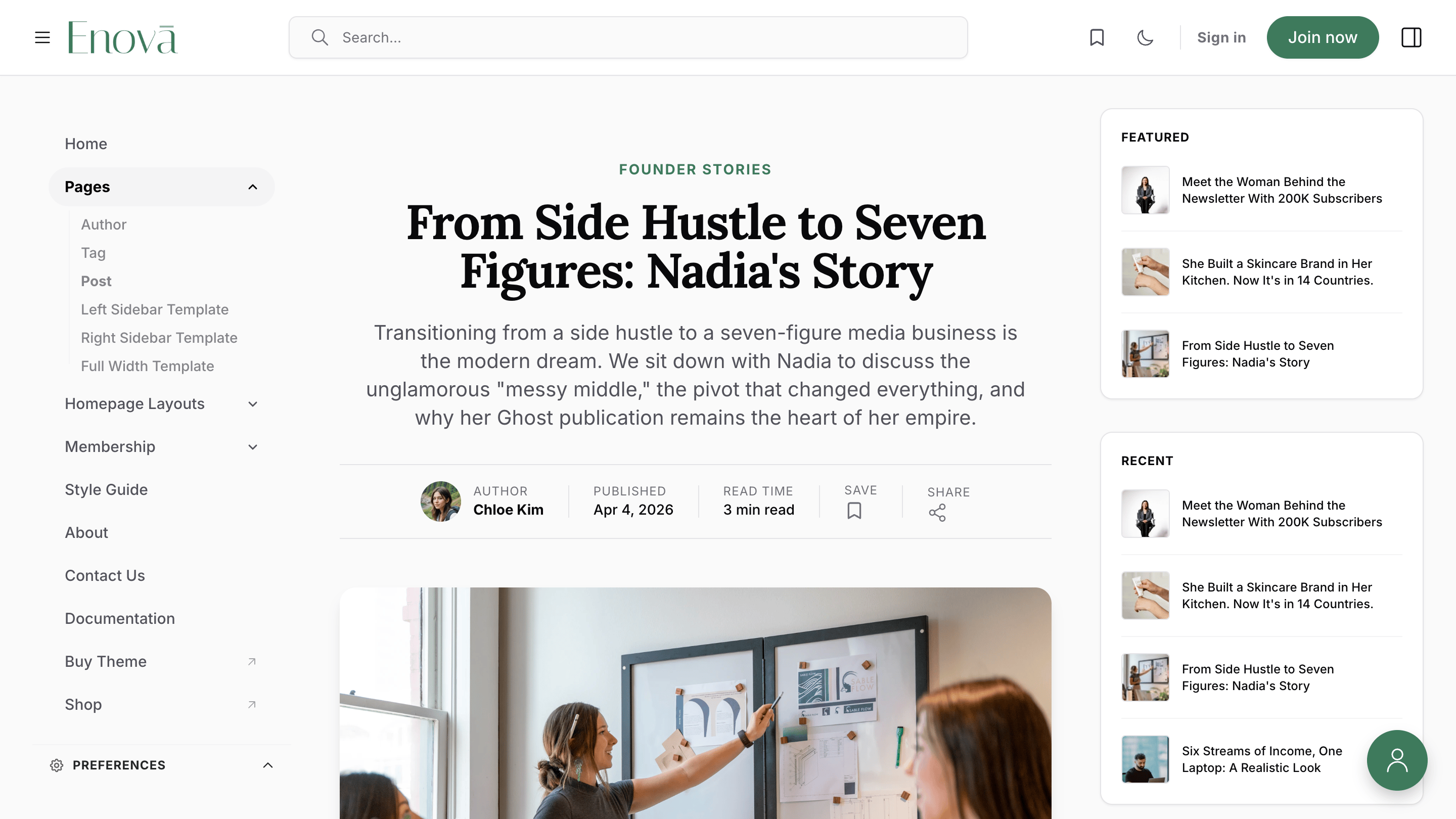
Left Sidebar Only
Prioritizes navigation and widgets on the left side, keeping the right side clean.
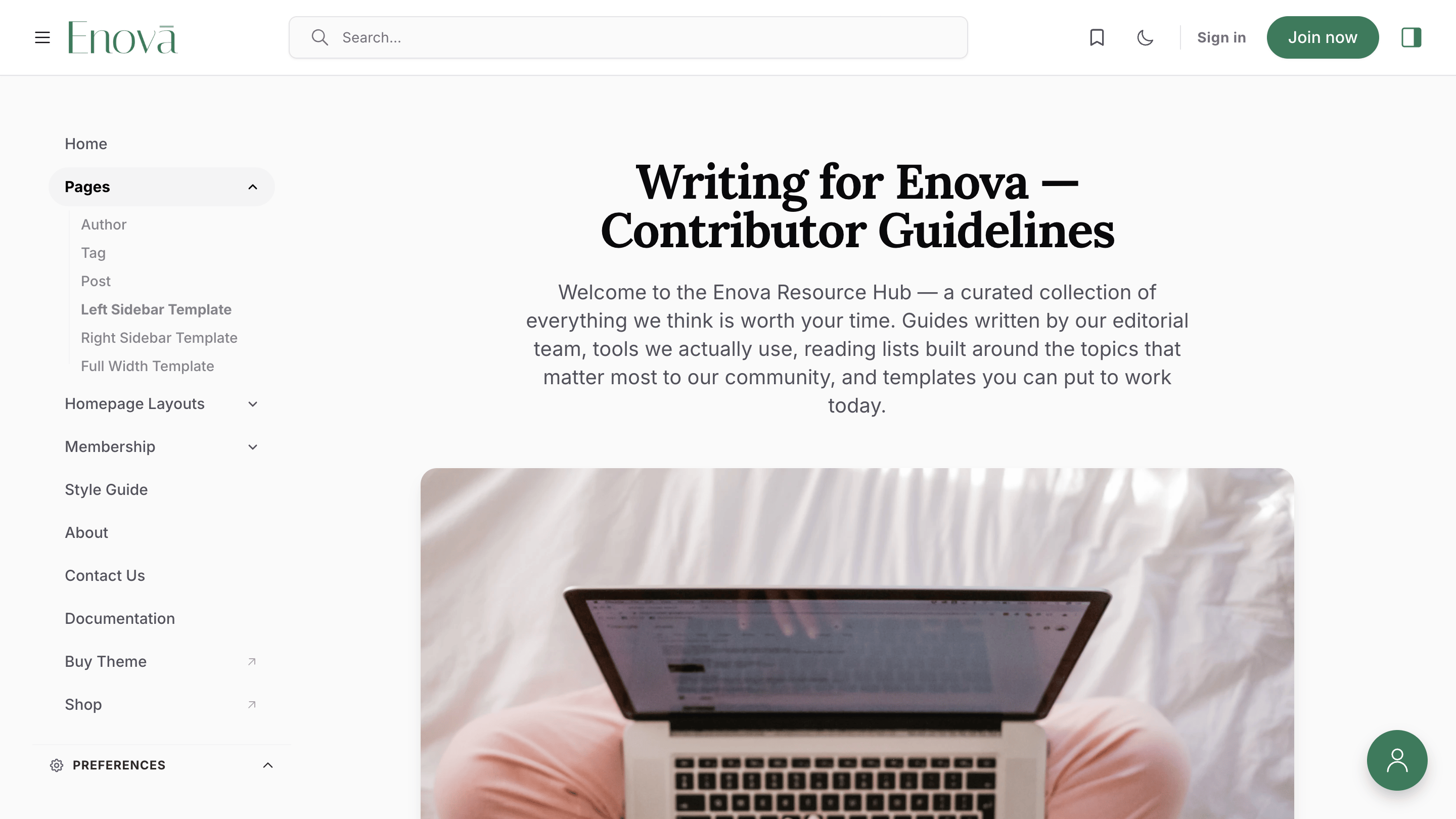
Right Sidebar Only
A familiar blog-style layout with widgets and featured content on the right.
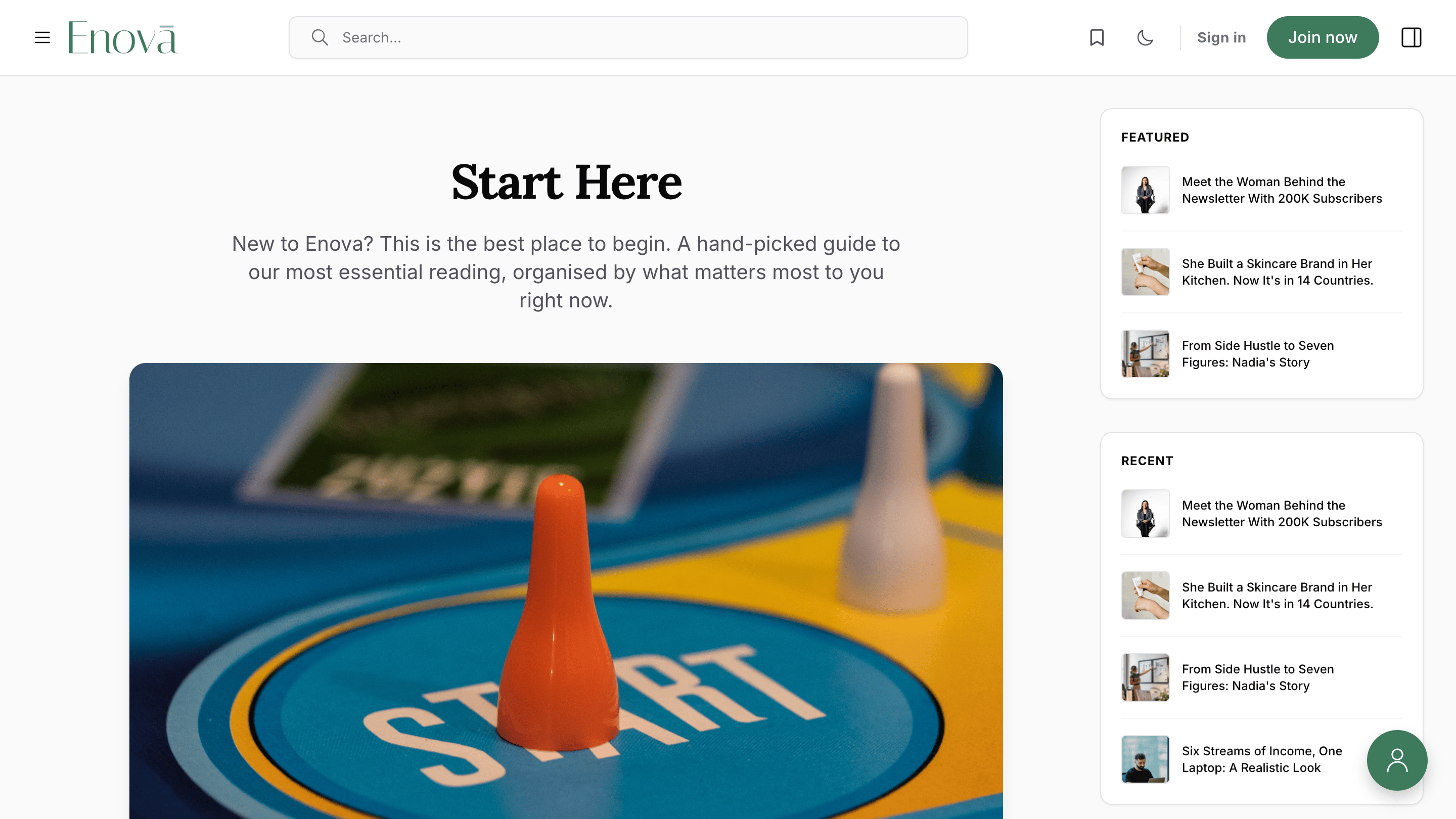
Full Width
Removes all sidebars for a focused, distraction-free reading experience.
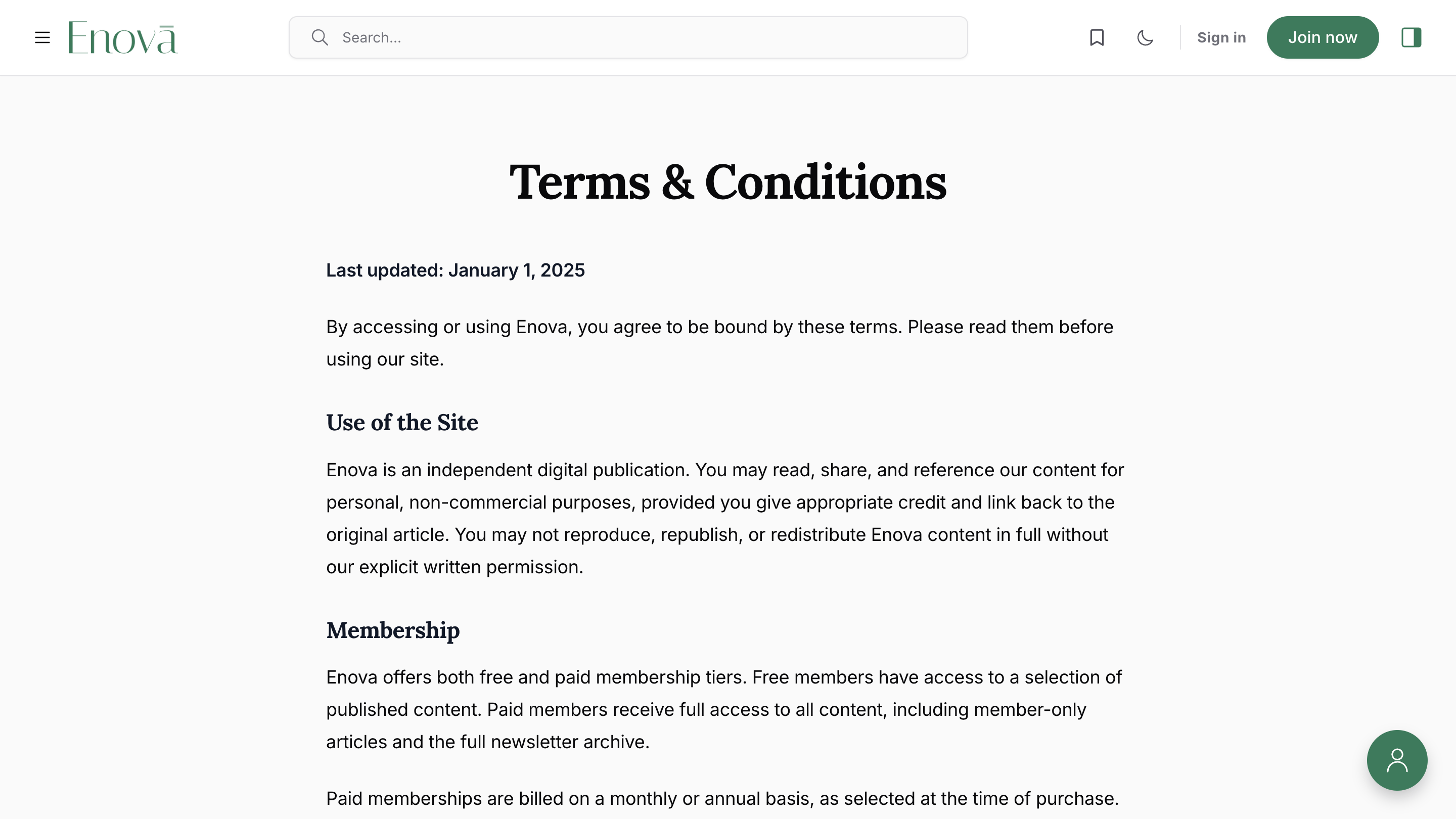
How to Change a Page Template
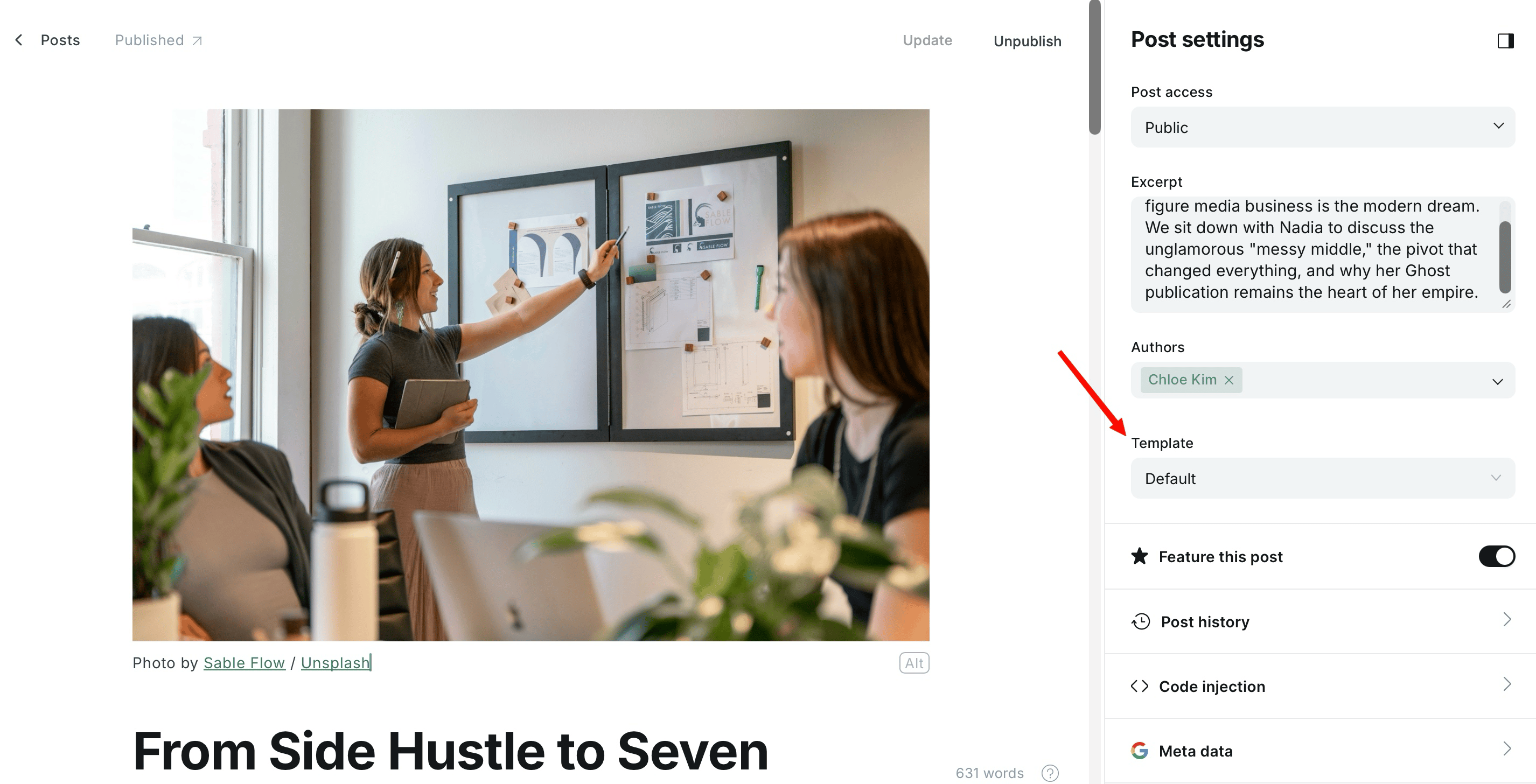
You can easily switch the template for any individual post or page directly within the Ghost editor.
Open the Editor Navigate to the post or page you wish to modify in Ghost Admin.
Open Post Settings Click the Settings icon (in the top-right corner) to open the page configuration sidebar.
Select your Template Locate the Template dropdown menu and select your desired layout from the list.
Save and Publish Click Update or Publish to apply the new layout to your content!
Ghost Editor Template Option
Pro Tip
Use the Full Width template for long-form, immersive articles or landing pages where you want your readers to focus entirely on the content without sidebar distractions.